HP ProBook 440 G9 Reviews
Overview
The HP ProBook 440 G9 remains one of HP’s most popular
laptops, even after being on the market for some time. Its affordability and
reliable performance make it an excellent choice for home and office
environments. In fact, the ProBook line became so reputable that the
LaptopMedia team often recommended it to friends looking for dependable
business laptops.
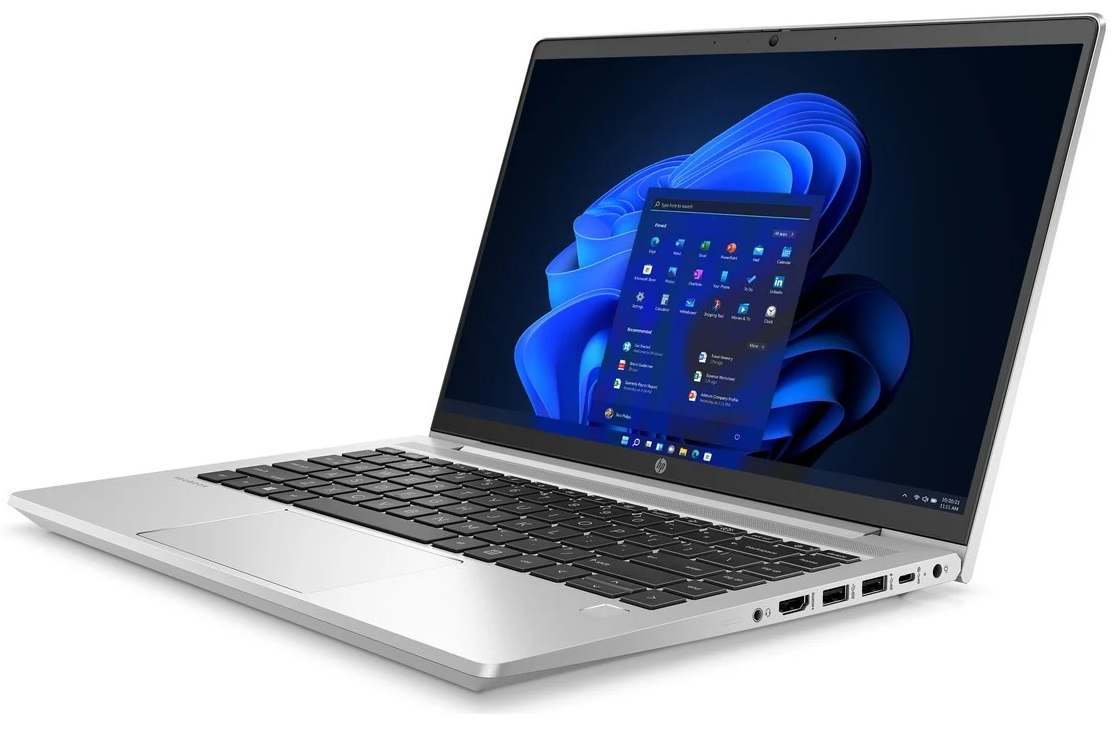
This 9th-generation ProBook 400 series is powered by Intel’s
U-series or P-series CPUs, giving users flexibility depending on performance
needs. Alternatively, if you prefer AMD processors, the ProBook 4x5 series is
available.
One consistent criticism remains—the base model display is
still a 768p TN panel, which should be avoided due to poor color reproduction
and limited viewing angles. Fortunately, HP offers better display options, including a standard Full HD IPS panel and even a 100% sRGB version for
color-accurate work.
.HEIC)
Design & Build
- Weight:
1.38 kg (3.04 lbs)
- Profile:
19.9 mm (0.78 in)
- Material:
Full aluminum body
Despite being made of aluminum, both the lid and base
have a bit of flex, though nothing alarming. The metallic body feels cool and
gives off a premium vibe.
- The
lid can be opened with one hand
- Thin
display bezels for a modern look
- HD
webcam is included, with optional IR face recognition
Keyboard & Touchpad
- Keyboard:
Backlit, spill-resistant, comfortable key travel and tactile feedback
- Touchpad:
Accurate tracking, but could be slightly larger
- Security
Features: Optional fingerprint reader
.HEIC)
Disassembly, Upgradeability & Maintenance
Opening the laptop reveals:
- 2x
SODIMM RAM slots, supporting up to 64GB DDR4
- 2x
M.2 PCIe SSD slots (one 2280, one 2230)
- Clean
internal layout, making upgrades and maintenance easy
Display Quality
Display Options:
- 14.0”
HD (1366 x 768) TN – avoid due to poor quality
- 14.0”
Full HD (1920 x 1080) IPS – better viewing angles and contrast
- 14.0”
Full HD IPS with 100% sRGB – ideal for creative professionals
Panel (Tested Model):
- IPS
Full HD (AUO AUO818B)
- Covers
only 51% of sRGB
- Doesn’t
use PWM, which helps reduce eye strain
The ProBook 440 G9 offers a picture that is sufficient for
writing, reading, and working. The Full HD resolution on a 14-inch diagonal
provides detailed pictures. However, these are neither very color-intensive nor
particularly bright. The color palette is at most sufficient for the correct
display of pictures and graphics but would already be overtaxed in simple image
editing.
The brightness of just under 250 cd/m² always allows good
legibility indoors as long as no direct light falls on the workstation. The
backlight is reduced to a minimum in battery mode, so text can only be read
sufficiently well in a shady place, especially outdoors. In contrast, the
screen content is almost hidden in sunlight.
Health Impact – PWM & Blue Light
- The
display is free from PWM across all brightness levels, making it
safe for extended use without causing eye fatigue.
- Blue
light levels are typical and not harmful.
Audio Quality
- 2
front-facing stereo speakers
- Decent
quality for video calls and casual media
- Lacks
bass, and overall sound is not ideal for audiophiles
Battery Life
- Battery
capacity: 42.75Wh or 51.3Wh
- Performance
(51.3Wh):
- Web
browsing: ~13 hours
- Video
playback: ~9 hours
- Easily
lasts a full workday on a single charge
Ports & Connectivity
- 1x
USB Type-C 3.2 Gen 2 (10Gbps, Power Delivery, DisplayPort)
- 3x
USB Type-A 3.2 Gen 1 (one with Sleep and Charge)
- 1x
HDMI 2.1
- 1x
Ethernet LAN (RJ-45)
- 1x
3.5mm audio combo jack
- Wi-Fi
6 (802.11ax)
- Bluetooth
5.2
- Nano
Security Lock slot
- Optional
SIM card tray
- Missing:
SD card reader, Thunderbolt support
CPU & GPU Options
CPU choices:
- Intel
Core i3-1215U
- Intel
Core i5-1235U
- Intel
Core i5-1250P
- Intel
Core i7-1255U
- Intel
Core i7-1270P
- Intel
Core i7-1280P
GPU choices:
- Intel
Iris Xe (64EU, 80EU, 96EU)
- Optional
NVIDIA GeForce MX570
Gaming & Thermal Performance
While this is not a gaming laptop, the Intel Iris Xe
or MX570 GPU can handle light gaming or graphics tasks.
Cooling system: Efficient and quiet under regular
use.
Thermal comfort: The palm rest area remains cool under heavy loads.


Comments
Post a Comment